Menu
Your Cart
Call us now - 01372 451345

CCS-MV4228 - ADDERView® Command and control multi-viewer switch
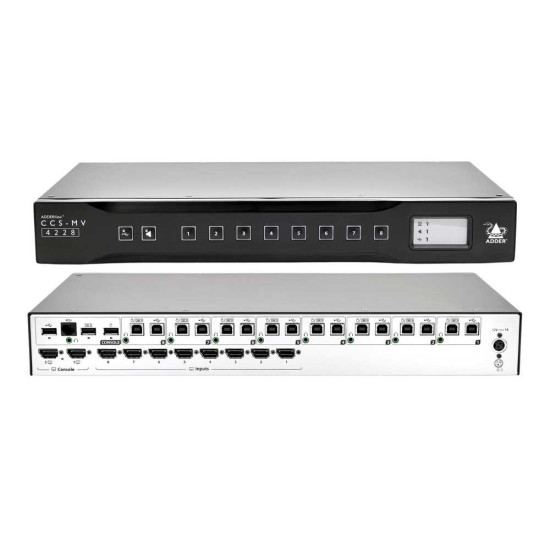
CCS-MV4228  - ADDERView® Command and control multi-viewer switch
CCS-MV4228 - ADDERView® Command and control multi-viewer switch
£8,879.00 + VAT
  • Stock: In Stock
  • Model: CCS-MV4228
  • Weight: 3.80kg
  • Dimensions: 439.00mm x 237.00mm x 58.00mm
  • SKU: CCS-MV4228
  • MPN: CCS-MV4228

ADDERView® Command and control multi-viewer switch for sharing 4K video, keyboard and mouse, plus audio between eight computers. Innovative hybrid DisplayPort™ and HDMI® video ports for flexible connectivity from a single computer.

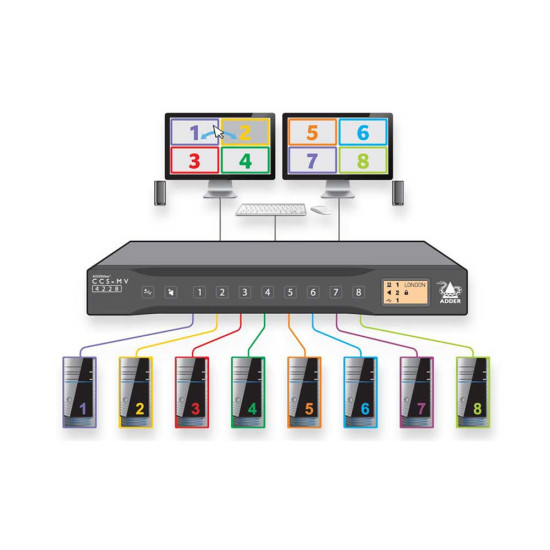
The ADDERView® CCS-MV, a desktop multi-viewer switch, provides simultaneous, real-time 4K KVMA access of up to eight computers from a single workstation. Users can instantly take control of the target computer by simply moving the mouse between windows, providing the experience of a single desktop.

  • Video Performance Up to UHD 4K video output resolution is generated, thus providing a crystal clear display, even with a tiled window layout.
  • Automatic Switching Natural automatic switching of KVM and audio control between ports without the need to press any buttons. Simply move the mouse between windows.
  • Flexible Screen Layout Use preset window layouts, or move and resize windows to create custom layouts. Dual output ports allow for extended or duplicated displays.
  • Flexible Computer Connections Connect to a combination of single and dual-head computers with either DisplayPort, HDMI or DVI connectors.
  • Matrix Integration The ADDERView CCS-MV 4228 may be connected to the ADDERLink® INFINITY matrix system. This allows the user to control any eight computers connected to the matrix network.
  • Analogue Audio Output analogue audio. An audio ‘hold’ facility assigns the audio connection to a specific computer while the KVM is switched to another computer. Useful when a user needs to talk to one channel, while working on another.
  • Copy and Paste Copy text between Windows 10 computers using standard keyboard, Ctrl+C and Ctrl+V commands.
  • Digital Audio Mixer Option to combine audio signal from multiple HDMI® channels. Adjust the volume level for each channel.
  • Remote Control Select layout presets and input channels remotely for control room applications where the displays are used to aid situational awareness.
  • Channel Identification Reduce the chances of operator error by displaying a meaningful name for each channel. The port LED and window border colours may also be configured.
  • USB Performance Emulated USB2.0 ports for fast switching of HID (Human Interface Devices), such as keyboard and mouse. Hi-speed USB 2.0 switched port for mass storage and isochronous devices, including flash drives, headsets and web cams.